

A sitemap.xml file is an XML document that lists every URL on a website so search engines can discover, crawl, and index content efficiently. For sites with thousands of pages, orphaned content, or complex navigation, a well-structured sitemap is one of the most direct technical SEO signals you can send to Google. Victoria Olsina Web3 SEO Agency helps projects build and maintain sitemaps that keep crawl budgets focused on content that matters.
What Is a Sitemap.xml File

Precise Definition
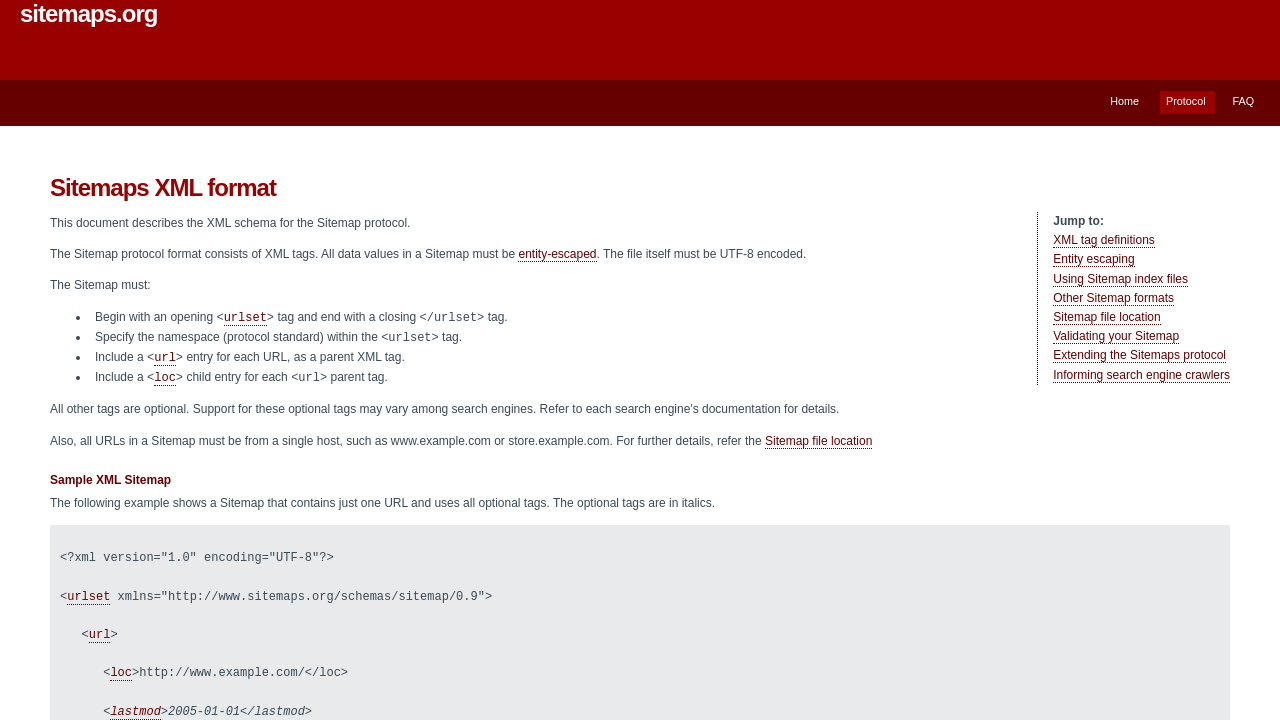
A sitemap.xml is a UTF-8 encoded XML file that follows the sitemaps.org protocol and lists URLs on a site that are available for crawling. The three required XML tags are , , and . Everything else, including , , and , is optional. All URLs in a single file must belong to a single host such as www.example.com or store.example.com, which matters for Web3 sites hosting content across multiple subdomains.
In Plain English
Think of it as a machine-readable table of contents for search engines. Google introduced Sitemaps 0.84 in June 2005, and Google, Yahoo, and Microsoft announced joint support in November 2006, standardizing the format. The protocol is a URL inclusion mechanism; it complements robots.txt, which is a URL exclusion mechanism. If robots.txt is the “do not enter” sign, the sitemap is the guided tour. For crypto and Web3 crawl management, that inclusion signal often decides whether new pages get seen at all.
Takeaway: A sitemap.xml is the shortest path between your URLs and Google’s index, but only if it is valid, UTF-8, and single-host.
How a Sitemap.xml Works
The XML Structure Explained
A valid sitemap opens with a tag that references the protocol namespace and closes with . Each URL is wrapped in a parent tag containing at least one child. The tag uses W3C Datetime format (YYYY-MM-DD) and tells crawlers which pages have been updated since the last visit, which helps them skip re-crawling unchanged documents. According to the sitemaps.org protocol, values (always, hourly, daily, weekly, monthly, yearly, never) are hints, not commands. A daily site may still be crawled hourly if traffic and freshness signals warrant it. Getting this markup right sits at the core of any serious technical SEO audit.
How Search Engines Use the File
Crawlers read the sitemap, queue the URLs, and factor in to prioritize freshness. The value (0.0 to 1.0, default 0.5) signals relative importance within the same site only. It never influences cross-domain rankings. Google combines sitemap data with internal link graphs, external backlinks, and canonical signals when deciding what to index, which is why strong internal linking still matters even with a perfect sitemap.
Sitemap Index Files for Large Sites
A single sitemap file is capped at 50,000 URLs or 50 MB uncompressed. Larger sites split content across multiple files and reference them via a sitemap index using . Google Search Central documents that a sitemap placed at the site root affects all pages on the site, which is why root placement is the recommended default. This scales cleanly for programmatic Web3 sites that generate thousands of token, protocol, or dApp pages.
Takeaway: Structure first, then scale. If you’re above 50k URLs, split into topical sitemaps under a single index.
Why a Sitemap.xml Matters for SEO

When a Sitemap Makes a Real Difference
Sitemaps deliver the most value on large sites, sites with isolated or poorly linked pages, sites using rich media (video, images, news), and sites with few external inbound links. That profile describes most launching Web3 projects, which is exactly why Web3 SEO strategies designed to 5x traffic start with a clean sitemap. Google Search Central states XML sitemaps are the most versatile format because they are extensible and can supply additional data about images, video, and news content.
What a Sitemap Cannot Do
A sitemap will not force indexing. Including a URL is a strong hint about the canonical version you want surfaced, but Google decides page-by-page whether to crawl and index. The tag does not raise your ranking against competitors on other domains. Pointing to the sitemap from robots.txt (Sitemap: https://example.com/sitemap.xml) enables auto-discovery so you don’t have to manually submit through Search Console. Even so, canonical URL management and consistent redirects do more heavy lifting than any priority number ever will.
Takeaway: Sitemaps improve discovery and freshness signals. Rankings still come from content, links, and authority.
Common Misconceptions About Sitemap.xml
Misconception: A Sitemap Guarantees Indexing / Reality: It Is a Hint
Submitting a URL does not force Google to index it. Google independently evaluates crawl worthiness, content quality, and duplicate signals for every URL, which is why E-E-A-T fundamentals in Web3 still gate whether sitemap-listed pages actually enter the index.
Misconception: Priority and Changefreq Directly Control Crawling / Reality: They Are Advisory
The sitemaps.org protocol is explicit: and are hints. Crawlers routinely deviate. Setting every URL to priority 1.0 does nothing; it just flattens your own signal. Serious SEO automation workflows leave these tags out entirely and let do the work.
Misconception: Every Site Needs a Custom Sitemap / Reality: CMS Plugins Handle Most Cases
Most content management systems, including WordPress and Drupal, auto-generate sitemaps or offer plugins that do. Google Search Central recommends letting the CMS handle it unless you have unusual requirements. URLs excluded from a sitemap are still discoverable through internal links and backlinks; exclusion is not hiding. For teams stitching together custom stacks, a mature content audit process usually surfaces sitemap gaps faster than manual review.
Takeaway: Trust the protocol. Let speak, drop noise tags, and let the CMS generate the file when possible.
How to Create and Submit a Sitemap.xml
Creating a Sitemap Manually or with Tools
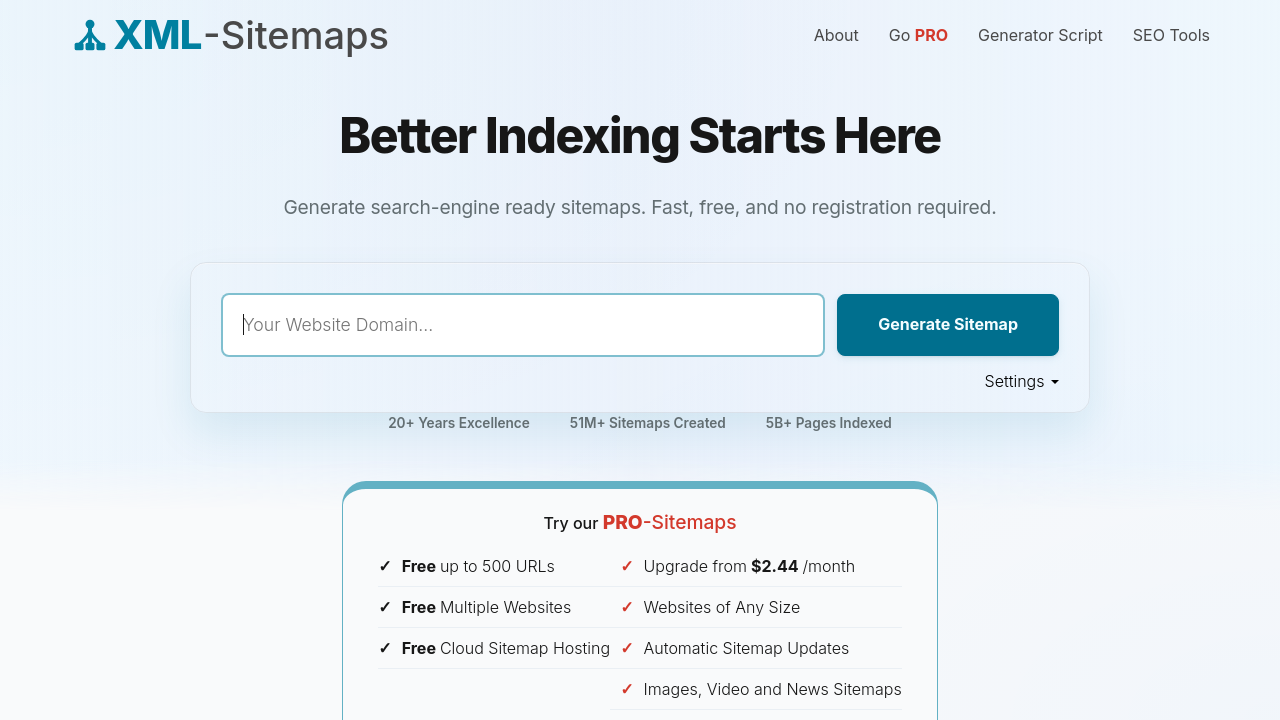
The file must be UTF-8 encoded and saved as sitemap.xml. Special characters in URLs must be entity-escaped, so & becomes &, before inclusion. Free generators such as xml-sitemaps.com support up to 500 URLs with no registration; paid tiers handle larger sites with automatic updates and image, video, and news sitemap support. Google Search Central recommends fully-qualified absolute URLs (https://www.example.com/page.html), never relatives. Teams running AI content automation for Web3 typically wire sitemap regeneration into the publish pipeline so every new page appears within minutes.
Submitting to Google and Other Search Engines
Place the file at the site root, then reference it in robots.txt using Sitemap: https://example.com/sitemap.xml. Optionally submit through Google Search Console to see coverage stats and per-sitemap performance in the Sitemaps report. For multilingual or multi-regional sites, the XML sitemap format supports hreflang annotations to signal localized page variants, which pairs well with title tag and meta description discipline across locales.
Best Practices Checklist
- Place at site root (
/sitemap.xml). - Reference in robots.txt for auto-discovery.
- Use absolute URLs only.
- Entity-escape special characters.
- Stay under 50,000 URLs and 50 MB per file.
- Include only canonical, indexable URLs.
- Update
on real content changes.
Discipline on the checklist compounds; it’s the same reason LLMs.txt planning for Web3 is starting to matter for the AI search layer.
Takeaway: Root placement, robots.txt reference, absolute URLs, honest . That covers 95% of the value.
Related Concepts
robots.txt
A URL exclusion protocol that tells crawlers which pages not to visit. It complements sitemap.xml. A common pattern is to disallow /admin/ in robots.txt while listing only clean canonical URLs in the sitemap, keeping crawl and indexing management tightly scoped.
Crawl Budget
The number of URLs Googlebot will crawl on a site in a given window. A well-maintained sitemap directs that budget toward priority pages instead of pagination, filter combinations, and stale archives. Larger sites benefit most, which is why content silos and sitemap segmentation usually get planned together.
HTML Sitemap
A human-readable page listing key URLs for navigation. It’s for users, not crawlers. XML sitemaps are machine-readable and target search engines. On single-page sites the tradeoffs shift, which is worth reading about in one-page Web3 site SEO.
Canonical Tags
signals the preferred version of a URL to search engines. Sitemaps reinforce this by listing only the canonical URL for each piece of content. Duplicate variants (tracking parameters, session IDs) should never appear in the sitemap. The best AI SEO tools can flag canonical/sitemap mismatches automatically.
RSS and Atom Feeds as Sitemaps
RSS and Atom feeds can serve as sitemaps for video content and are automatically generated by most CMSes. They cannot convey image or news metadata the way XML sitemaps can. Use them as a secondary freshness signal, not a replacement, especially if you’re running generative engine optimization for Web3 authority.
Frequently Asked Questions
What is a sitemap.xml file and what is it used for?
A sitemap.xml is an XML file that lists a site’s URLs for search engine crawlers. It helps Google, Bing, and others discover new pages, understand update frequency, and index content more efficiently, especially on large or poorly linked sites.
Does having a sitemap.xml improve my Google rankings?
No, not directly. A sitemap improves discovery and crawl efficiency, which can lead to faster indexing of new content. Rankings still depend on content quality, backlinks, technical health, and relevance signals, not on the sitemap itself.
How do I create a sitemap.xml for my website?
Most CMS platforms like WordPress generate one automatically or via a plugin. For custom stacks, use a generator like xml-sitemaps.com for small sites, or script the file directly following the sitemaps.org protocol with UTF-8 encoding and absolute URLs.
Where should I place my sitemap.xml file?
Place it at the root of your domain, for example https://example.com/sitemap.xml. Google Search Central recommends root placement because a sitemap affects only descendants of its parent directory unless explicitly submitted through Search Console.
How many URLs can a sitemap.xml file contain?
A single sitemap file is limited to 50,000 URLs or 50 MB uncompressed, whichever comes first. For larger sites, split content across multiple sitemap files and reference them through a sitemap index file using the tag.
Do I need to submit my sitemap.xml to Google manually?
Not strictly. Referencing the sitemap in your robots.txt file enables auto-discovery by Google, Bing, and other supporting search engines. Manual submission through Google Search Console is optional but gives you coverage reporting and error diagnostics per sitemap.
What is the difference between sitemap.xml and robots.txt?
Sitemap.xml is a URL inclusion protocol listing pages you want crawled. Robots.txt is a URL exclusion protocol telling crawlers which paths to skip. They work together: robots.txt blocks noise, sitemap.xml highlights priority content.
Should I include all my website pages in sitemap.xml?
No. Include only canonical, indexable pages that return HTTP 200. Exclude duplicates, redirects, noindex pages, and low-value URLs like tag archives or filtered search results. A focused sitemap sends a cleaner signal than an exhaustive one.
Conclusion
A sitemap.xml is a small file with an outsized role in technical SEO. Get the fundamentals right (UTF-8, root placement, absolute URLs, honest , robots.txt reference) and you remove one of the most common blockers between your content and Google’s index. For Web3 projects operating across subdomains, dApps, and rapidly changing docs, sitemap discipline pays for itself in weeks, not quarters. If you want that discipline built in from day one, Victoria Olsina’s Web3 SEO practice plans, ships, and maintains the full technical stack around it.
Citations and claims verified by an AI fact checker.


![Victoria Olsina, mentor at R[3]sidency x Construct](https://victoriaolsina.com/wp-content/uploads/2026/10/r3sidency-mentor-victoria-olsina-26239-300x158.png)




